
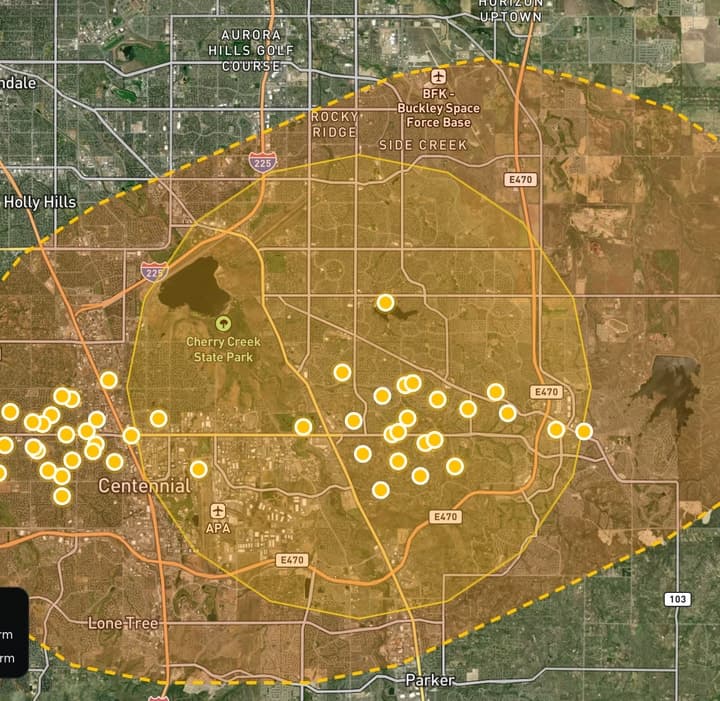

Storm Intelligence
See who a storm hit
47 customers and 38 open leads inside the Aug 13 hail outline, biggest hail first.
Weather from XweatherDemonstration data
CRM + operations for roofing franchises
Service RP is the CRM and operations platform built for roofing franchises. Find the homes a storm hit, knock the doors, sign the deal and build the roof.

Storm Intelligence · Who's hitDemonstration data · Weather from Xweather
Storm Intelligence · Who's hitDemonstration dataWeather from Xweather
Storms, doors, leads, contracts, jobs and the calendar live in Service RP, so the whole team works from the same record.
Real screens from Service RP, showing Ridgeline Roofing, our demo franchise in Denver.
Storm Intelligence
47 customers and 38 open leads inside the Aug 13 hail outline, biggest hail first.
Weather from XweatherDemonstration data
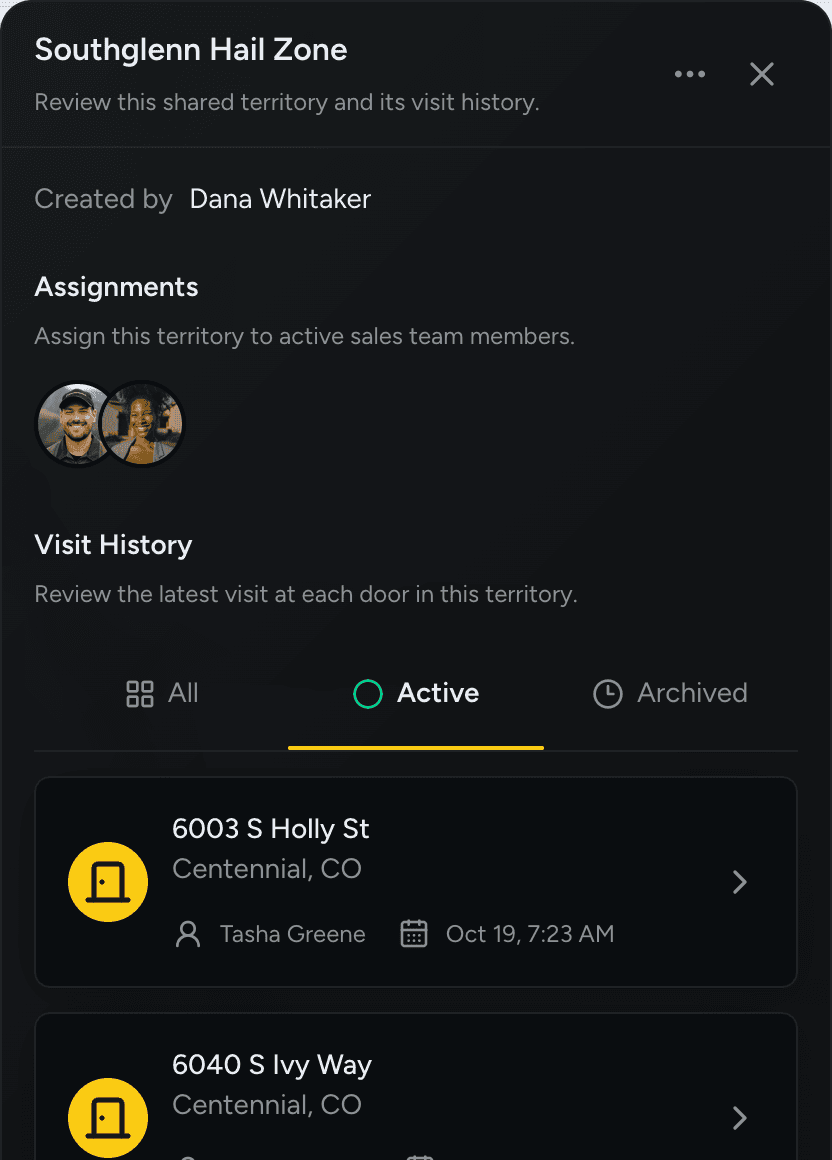
Canvass Territories
Draw a territory, assign reps, and see the latest visit at each door in Southglenn.
Demonstration data
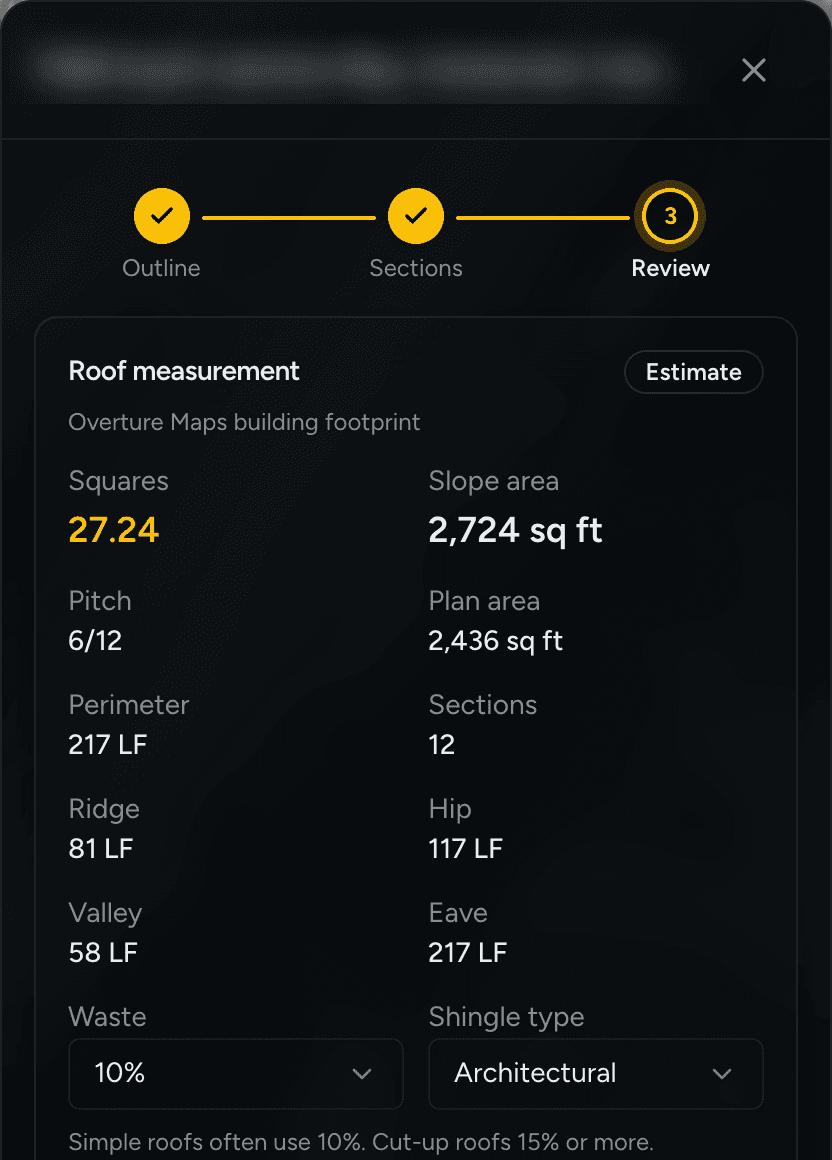
Roof Measurement
27.24 squares at 6/12, with ridge, hip, valley and eave lengths. An estimate: pitch is entered.
Demonstration dataAddress blurred
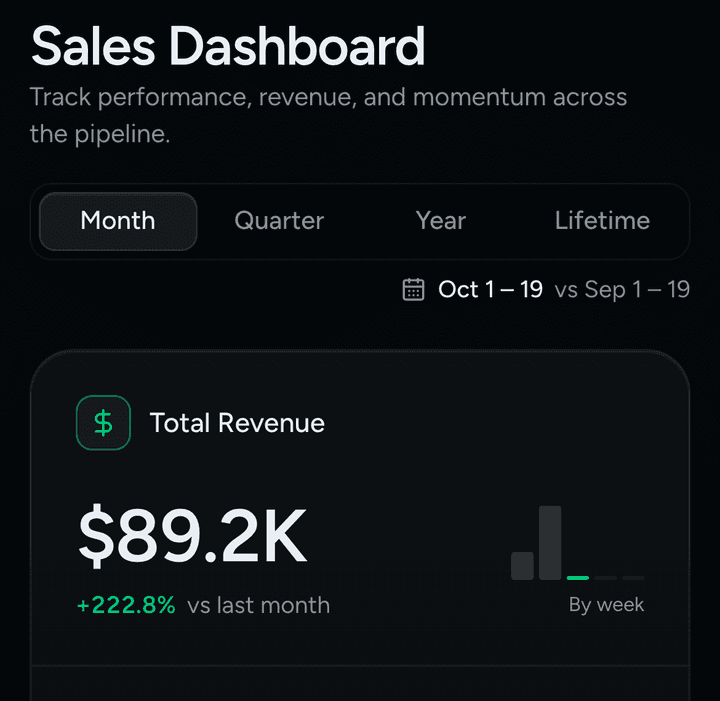
Dashboards & Leaderboard
Owners see leads, contingencies, signed contracts and revenue. Reps see their rank and what it takes to move up.
Demonstration data
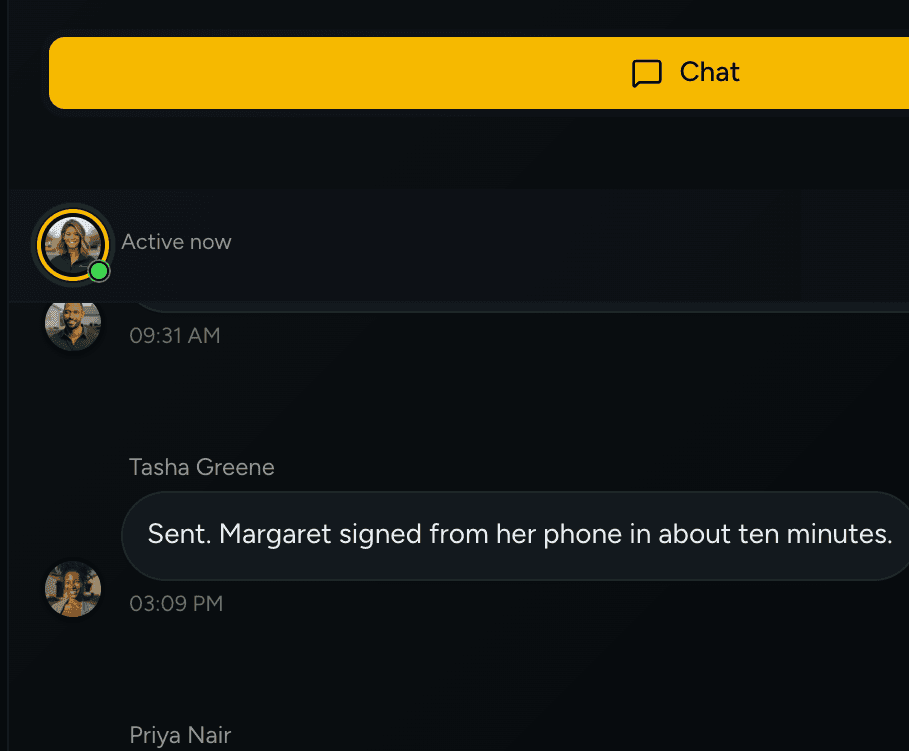
Lead page · Chat & Notes
Threads, @mentions, voice messages and photos live next to the documents, insurance and timeline.
Demonstration data
Rules that keep jobs moving, signing that homeowners can do on their own, and an app your whole crew can read.
A lead only moves on when it has what the next stage needs: a signed document, a finished checklist or a cleared flag. Managers approve or reject with a reason.
No account and no app to download. You see Viewed, Started and Signed as it happens, and get the signed PDF back on the lead.
The whole app works in both. It runs in the browser on phones, tablets and desktops, so there is nothing to install.
Leads ledger
Stage, value, rep, source and the last thing that happened, for every opportunity in the franchise.
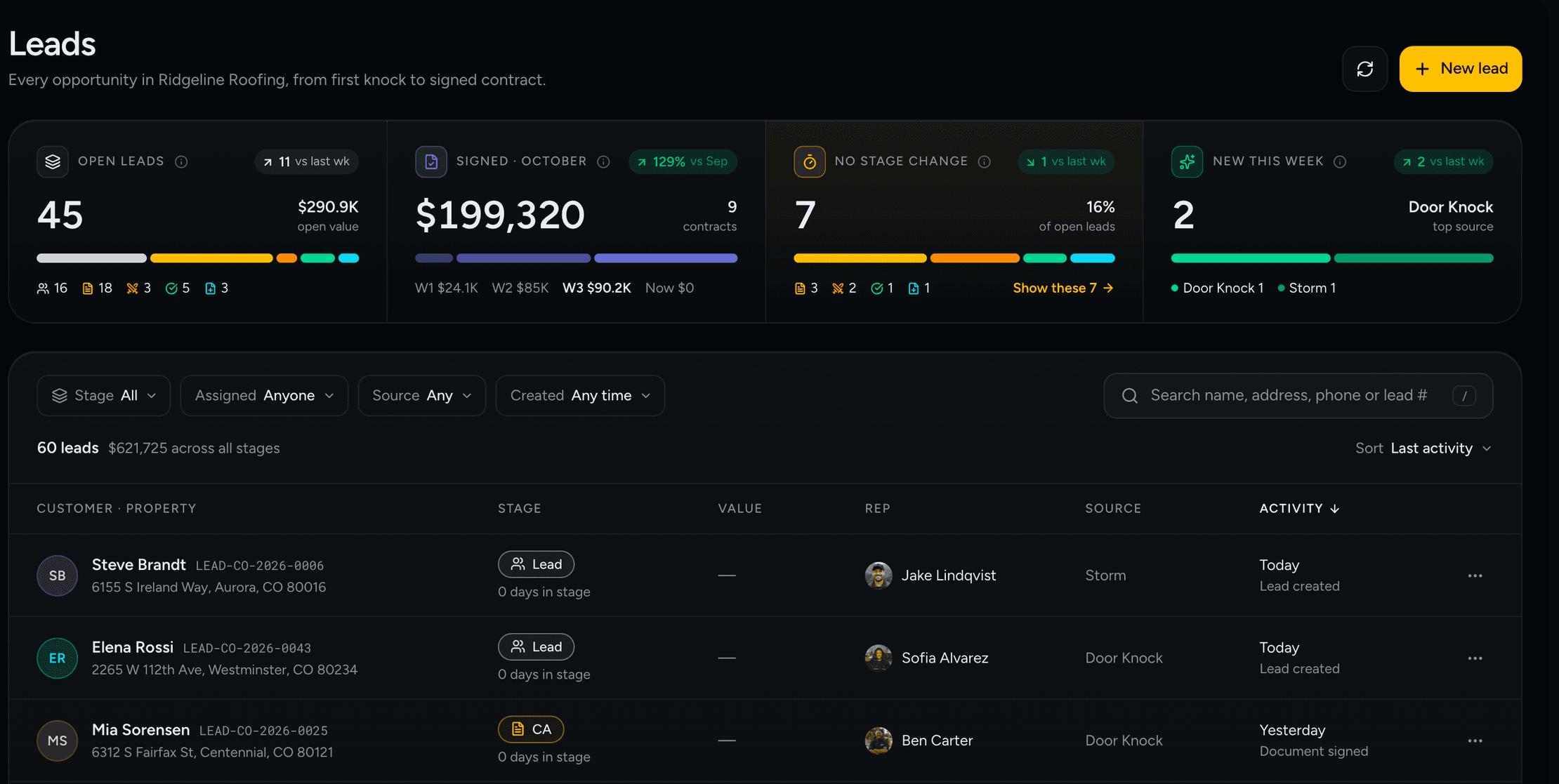
Leads · Demonstration data
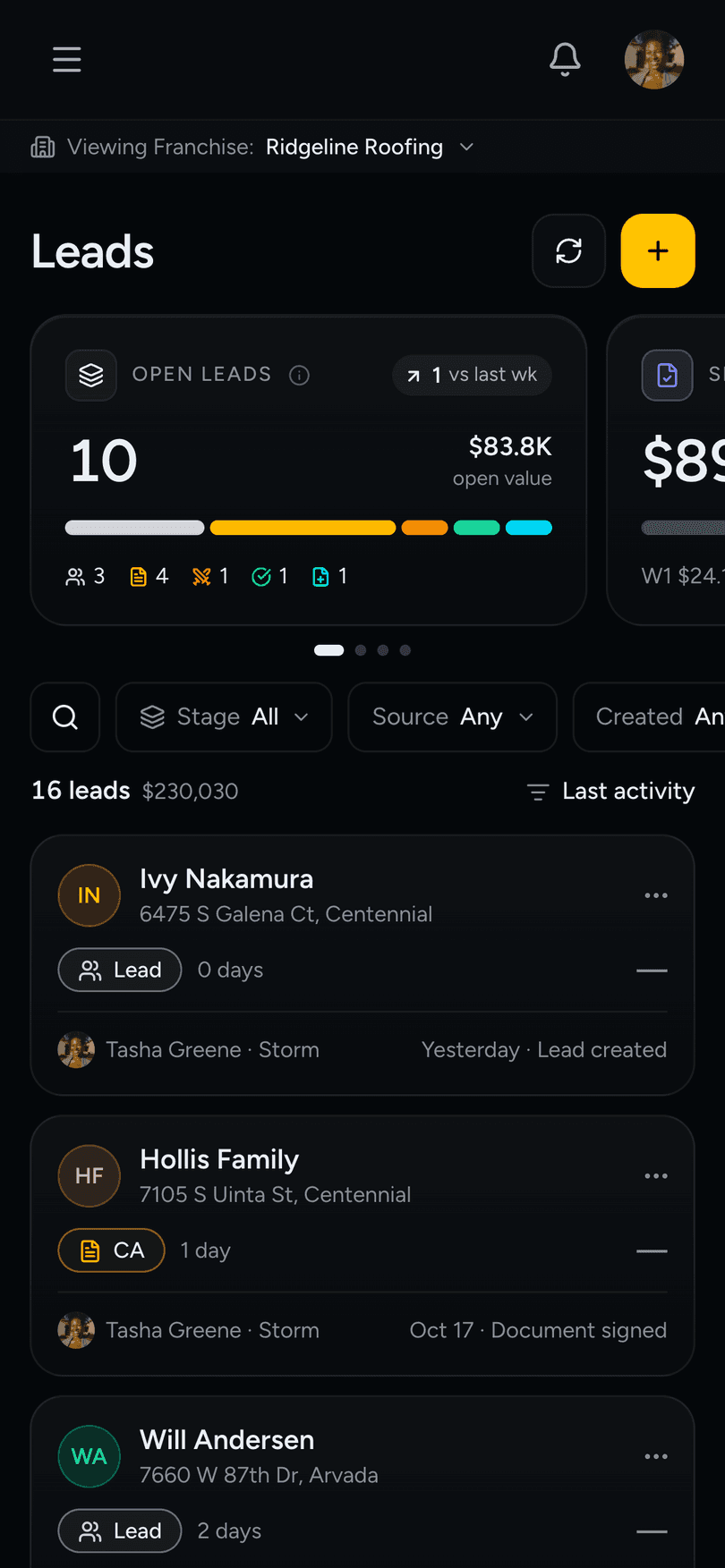
Leads · Demonstration data
Retail jobs can skip straight to Signed.
No stage change counts the leads that have not moved in 14 days or more, so you can follow up before they cool off.
Narrow by Stage, Assigned, Source or Created. Archived leads keep their files, notes and history, and can be restored.
Canvass Territories
Managers draw a territory and assign reps. Reps log the outcome of every visit, and each door keeps one owner and one history.
Mark a visit
 Not home
 Not interested
 Follow up
 Inspection booked
 Signed agreement
 Never contact again
A door marked do-not-contact cannot become a lead until a manager lifts it, and that change is recorded.
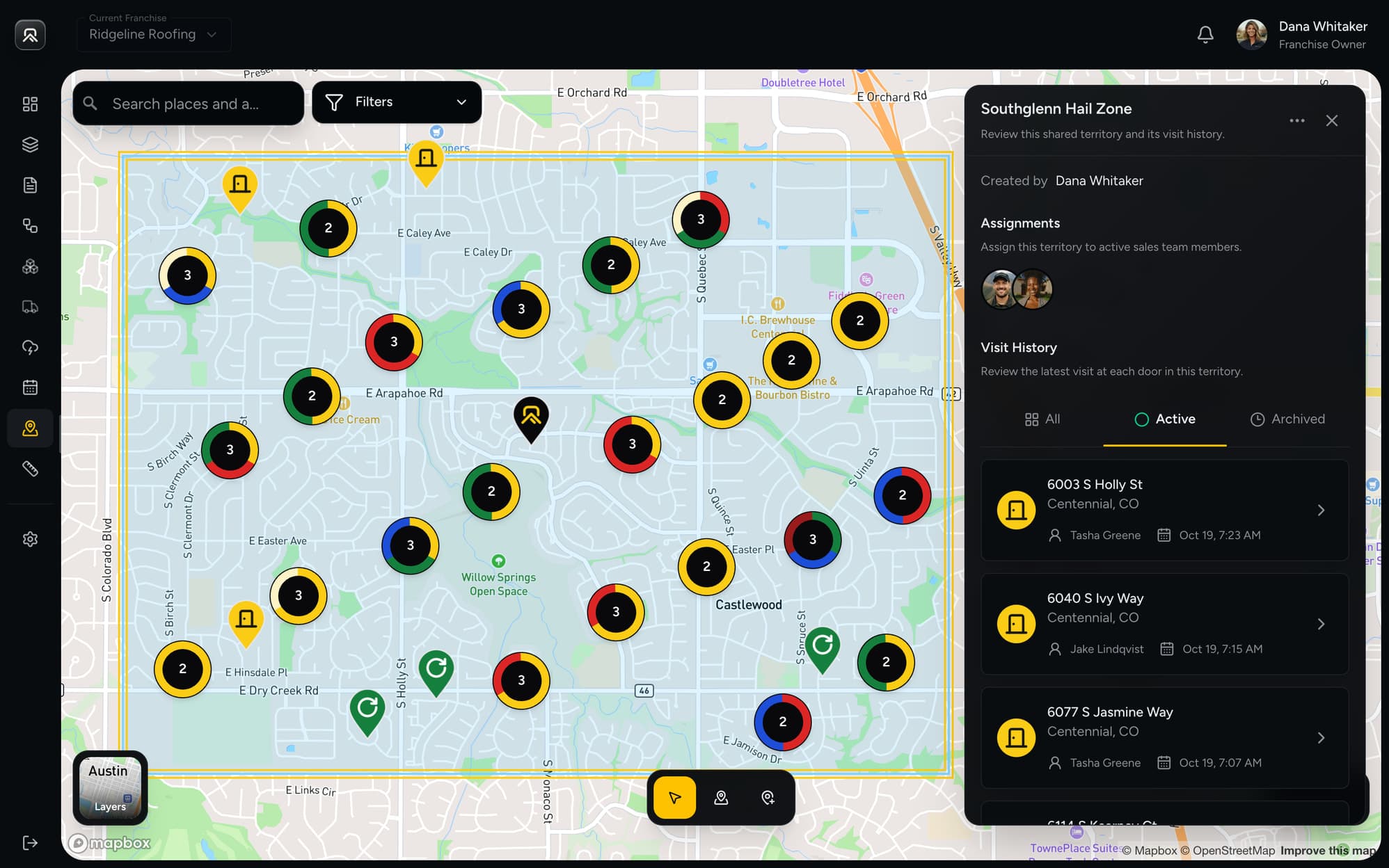
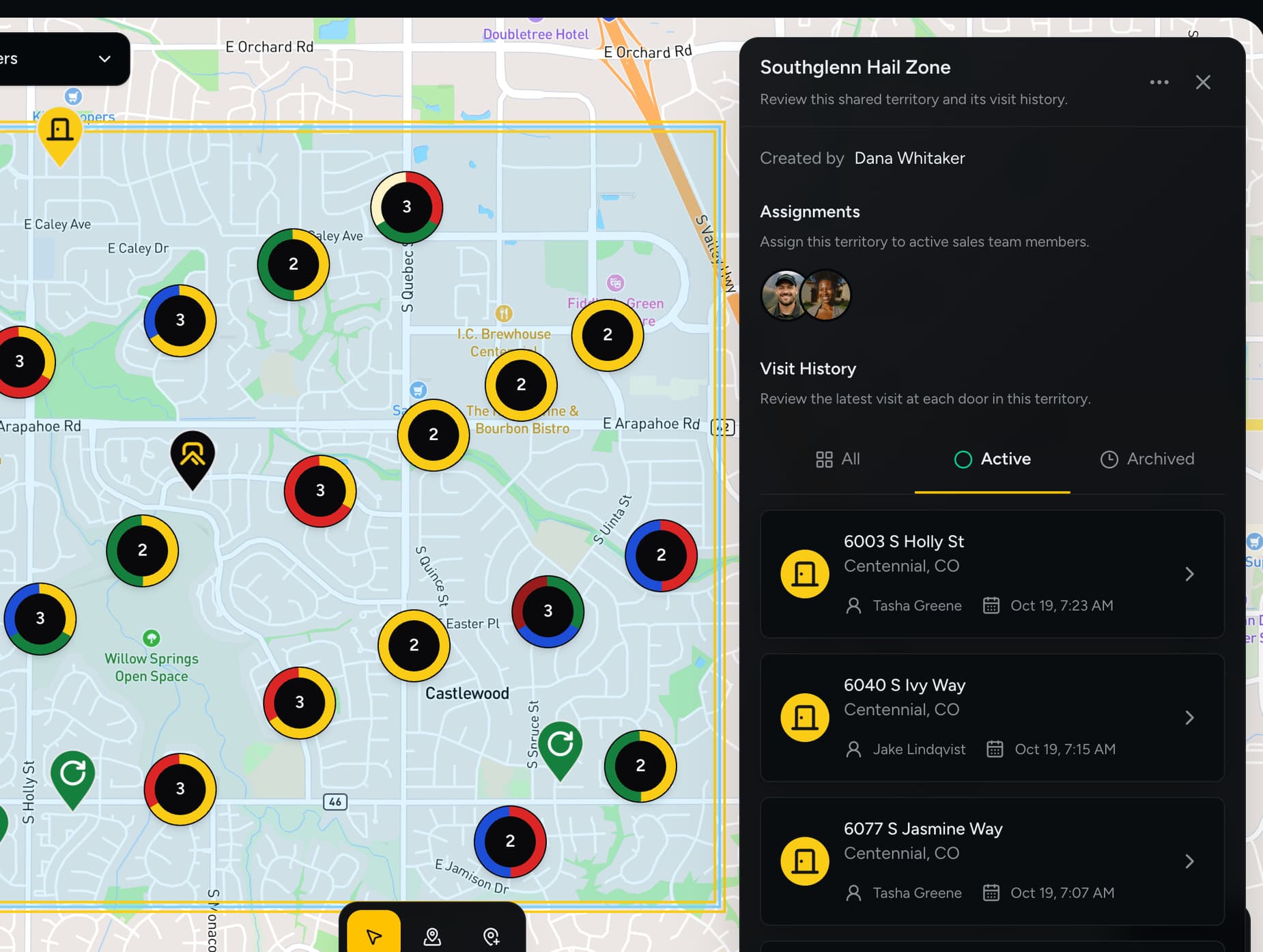
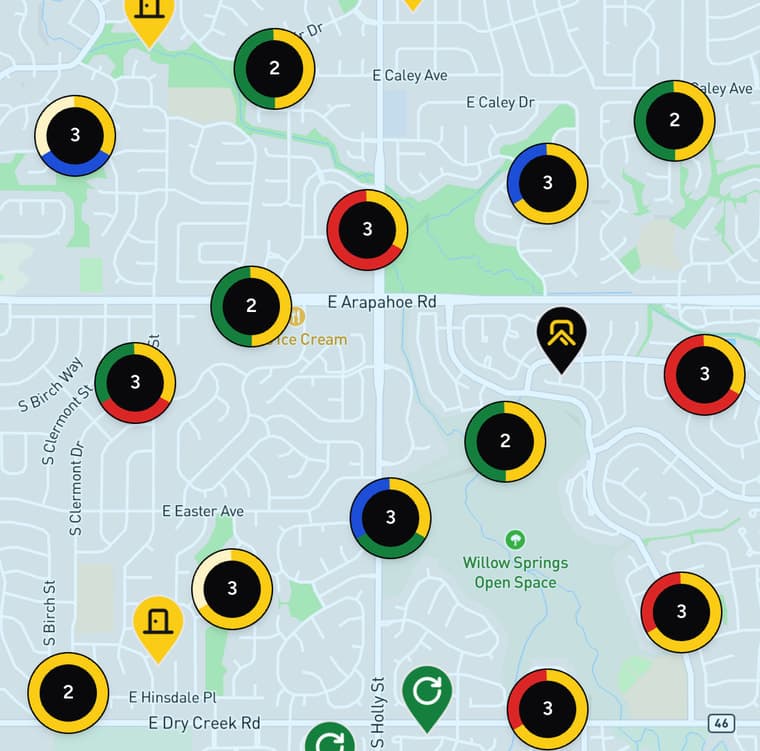
Southglenn Hail Zone · Demonstration data
How it works
One job and one record, passed from the rep to the office to the crew.
Find the storm near your territory and see who it hit.
Turn the hail outline into a canvass territory and start knocking.
Move the lead through CA, Deal Fighting, Approvals and Supplementing.
Send the contract or Smart Proposal. The homeowner signs by email, no account needed.
The job moves across Production with crew, materials and daily logs.
Finish the close checklist and the job is Fully Closed.
04 · Contracts & Smart Proposals
Pick a template, pick the lead and add signers. Each one moves from Sent to Viewed to Signed while you watch. Void and reissue if the job changes.
Smart Proposals add scope, price and a 50% deposit, and keep every version.
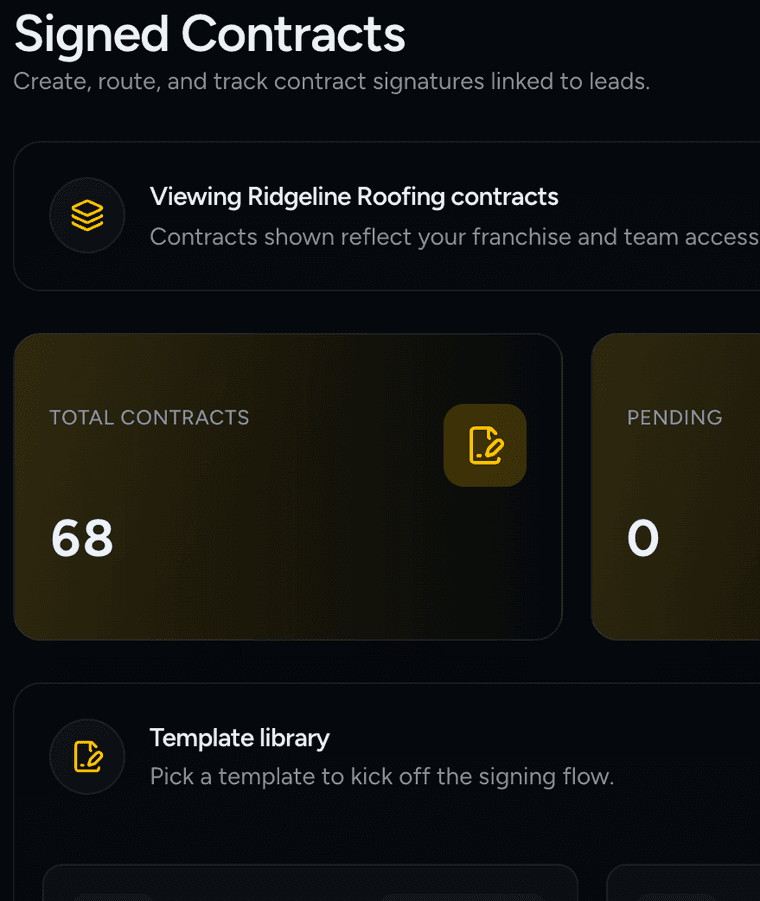
Signed Contracts · Demonstration data
05 · Production
B.O.M, Scheduling, Construction, C.O.C and Fully Closed. Drag a job forward, set its priority and filter for the ones at risk.
Vendors confirm each material line as Available, Partially available or Substitution needed.
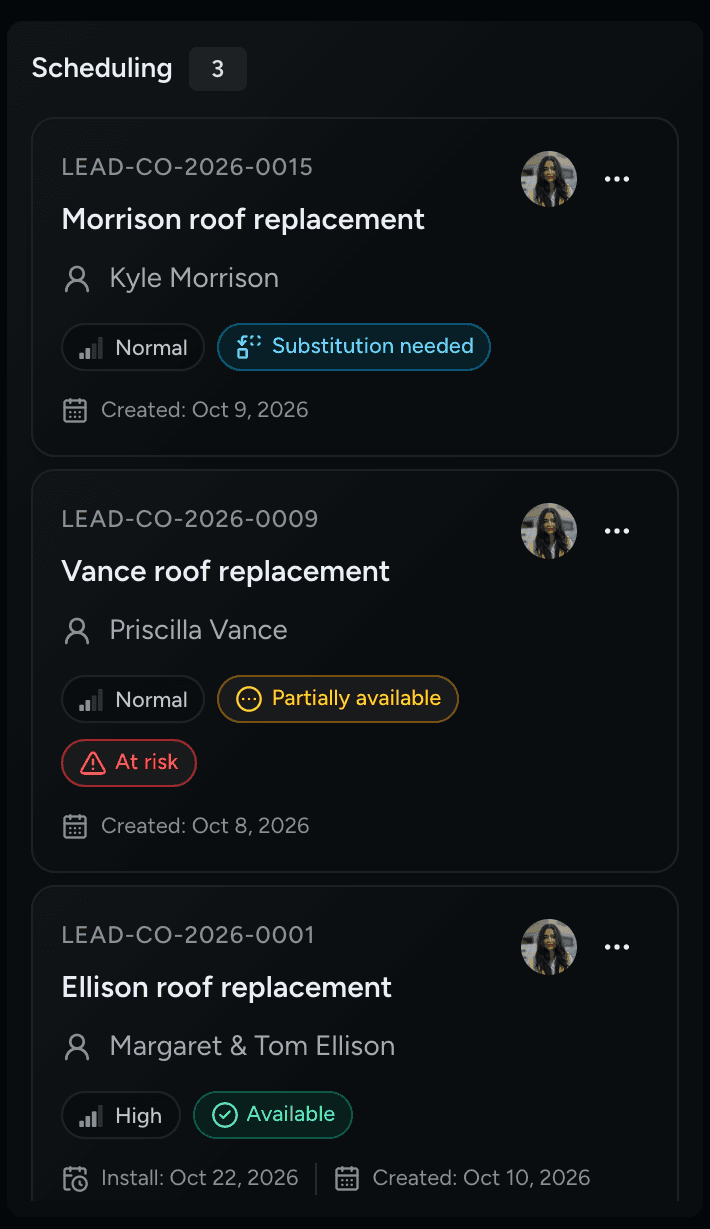
Production Kanban · Demonstration data
05 · Scheduling & Calendar
Scheduling Readiness checks the vendor, materials, weather and crew. Then the install goes on the calendar with the right Production Crew.
The homeowner gets an email 24 hours before installation.
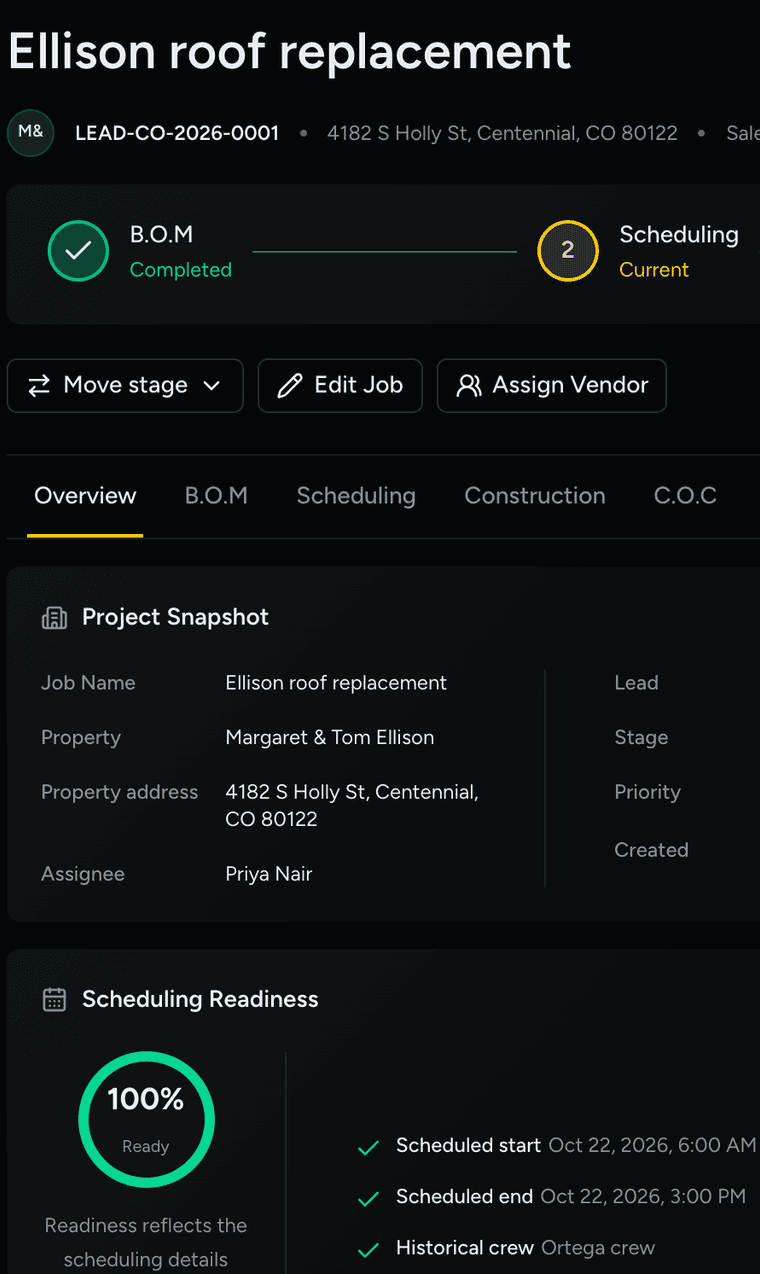
Production job · Ellison roof replacement · Demonstration data
Who it's for
Each role sees what it needs. Here is the Ridgeline Roofing team, from the owner to the homeowners.

Franchise Owner
Leads, signed contracts and revenue for the month in one view.

Sales Manager
Draws territories, assigns reps and approves stage moves.

Sales Rep
Knocks doors, logs visits and sends contracts from her phone.

Project Manager
Schedules the job, books the crew and checks materials.

Crew Lead
Sees the install on the calendar and writes the daily log.

Homeowners
Sign by email on any device. No login needed.
Pricing
Pricing depends on your team and your locations. Tell us how you work and we will put a plan together.
For one location that wants storms, doors and deals in one place.
Custom pricing
Placeholder tier
Includes
For a franchise that runs sales and production in Service RP.
Custom pricing
Placeholder tier
Everything in Franchise, and
For corporate teams running more than one franchise.
Custom pricing
Placeholder tier
Everything in Franchise Plus, and
Contact
Tell us about your franchise and what you use today. We will walk you through Service RP with your kind of jobs in mind.
hello@roofpro.app


